A recursive fuzzy file picker for Zed editor using Fuzzel, inspired by Emacs’ dired navigation.
Github: GCaggianese/zed-fuzzel-filepicker
What it does
Browse and open files with fuzzy search and recursive directory navigation Press the keybind and fuzzy-search files, and open them directly in Zed from within Zed.
Why
When I started trying out Zed the first thing I missed was dired’s file picker, this tries to close that gap bringing it to Zed.
Demo
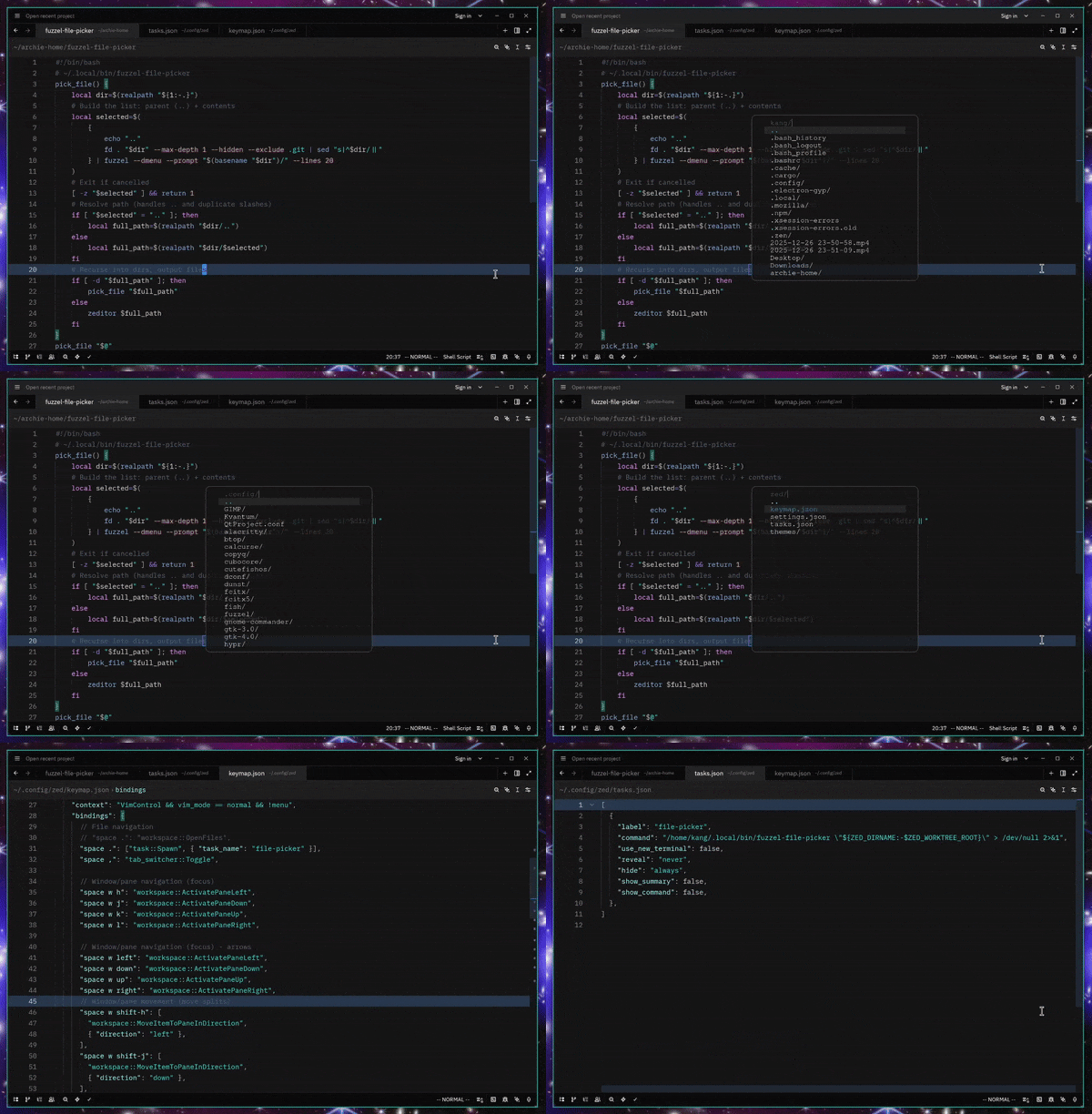
Requirements
- Zed editor with
zeditorCLI tool - Fuzzel (or rofi/dmenu — see adapting section)
- fd (faster alternative to
find) - Any Unix-like system
Installation
1. Install dependencies
# Arch
sudo pacman -S fuzzel fd zed

# Debian (zed via official install)
sudo apt install fuzzel fd-find
2. Set up the script
# Copy script to your local bin
cp fuzzel-file-picker ~/.local/bin/
chmod +x ~/.local/bin/fuzzel-file-picker
3. Configure Zed
Add to your tasks.json (~/.config/zed/tasks.json):
[
  {
    "label": "file-picker",
    "command": "~/.local/bin/fuzzel-file-picker \"${ZED_DIRNAME:-$ZED_WORKTREE_ROOT}\" > /dev/null 2>&1",
    "use_new_terminal": false,
    "reveal": "never",
    "hide": "always",
    "show_summary": false,
    "show_command": false
  }
]
Add to your keymap.json (~/.config/zed/keymap.json):
{
  "bindings": {
    "space .": ["task::Spawn", { "task_name": "file-picker" }]
  }
}
(Change space . to whatever keybind you prefer)
Usage
- Open Zed in your project
- Press
Space + .(or your keybind) - Navigate:
- Type to fuzzy-search files/directories
- Select
..to go up a directory - Select a directory to dive deeper
- Select a file to open it in Zed
- You can create new files too
- Esc to cancel at any point
How it works
- Uses
fdto list files/directories - Fuzzel does the fuzzy-search interface
- Recursively navigates directories until you select\create a file
- Opens selected file via
zeditorCLI
Use a different launcher
I guess you can replace fuzzel --dmenu with:
- rofi:
rofi -dmenu -p - dmenu:
dmenu -p - fzf:
fzf --promptBut I haven’t tried it yet.
Integration from Zed
This pattern works for integrating any external tool with Zed via tasks:
- Write a script that outputs to stdout/stderr
- Add task to
tasks.jsonwith output redirected - Bind task to keybind in
keymap.json
This is really cool as let’s Zed be easily extensive!
Troubleshooting
“zeditor: command not found”
- Install Zed’s CLI: Open Zed →
Cmd/Ctrl+Shift+P→ “Install CLI”
“fd: command not found”
- In some systems
fdis called diferent, you’ll need to adapt the script to yours.
Questions / bugs? Want to adapt this?
Open an issue or PR. Hack it however you want! Using this task integration pattern for other tools? I’d love to see what you build! Drop a link in the issues or tag this repo. Building a collection of Zed integrations would be amazing.